For Premiere Pro editors on Mac
See your social edit on your phone. Live, while you cut.
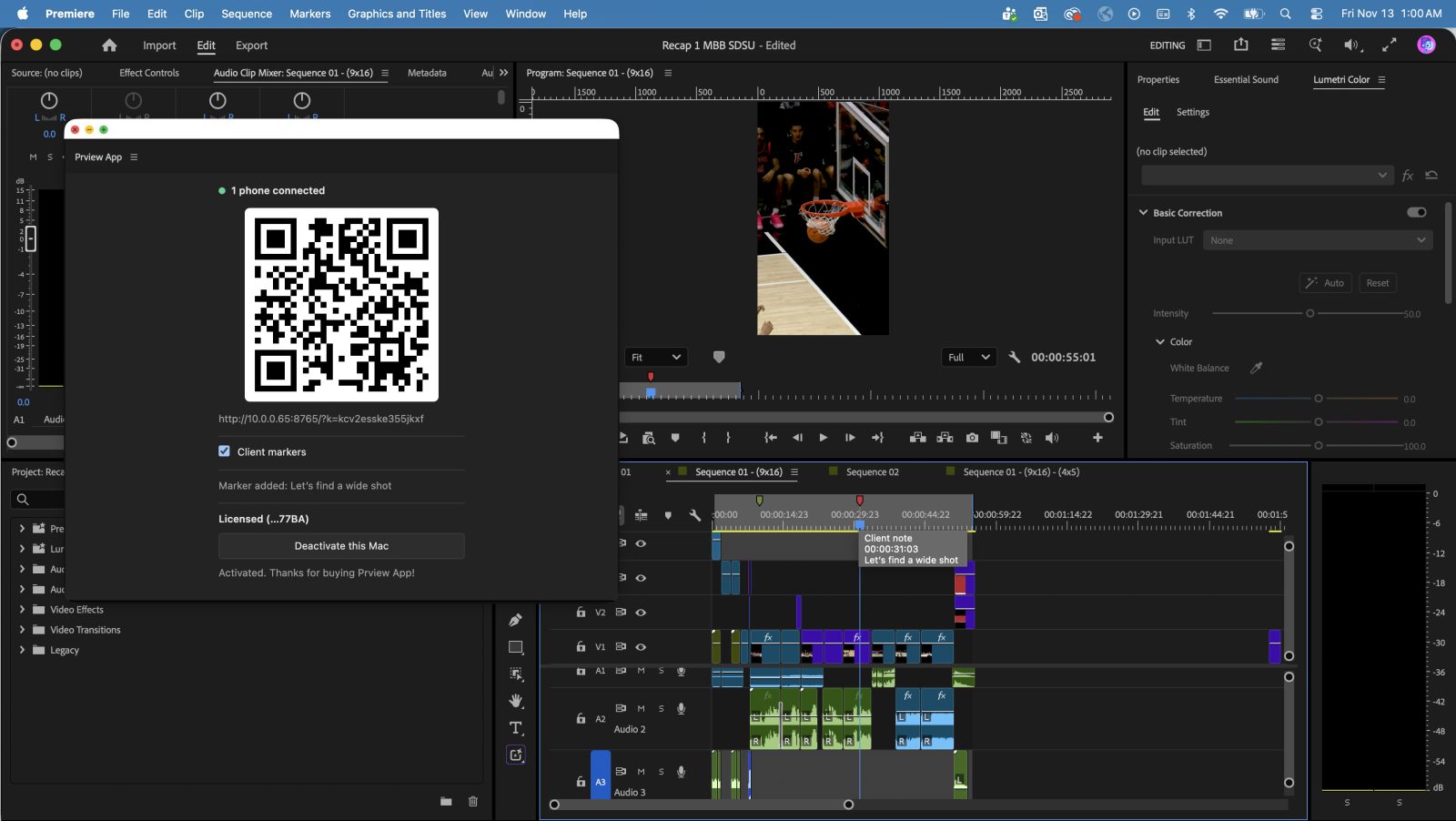
No more exporting to check your colors and sound. Prview streams your Premiere Pro Program Monitor straight to your phone, live. Turn on Reels, TikTok, Shorts or Snapchat overlays, and let your producer drop markers on your timeline right from their phone.
macOS · Premiere Pro 26.5.2+ · 16:9 and 9:16 · iPhone, iPad and Android
Interface overlays shown are illustrative.
Producer markers
No more watching over the editor’s shoulder.
Your producer can sit back and watch the cut on the device it will actually live on. They tap to leave a marker with a note from their phone, and it drops onto your Premiere Pro timeline live, right where they tapped.
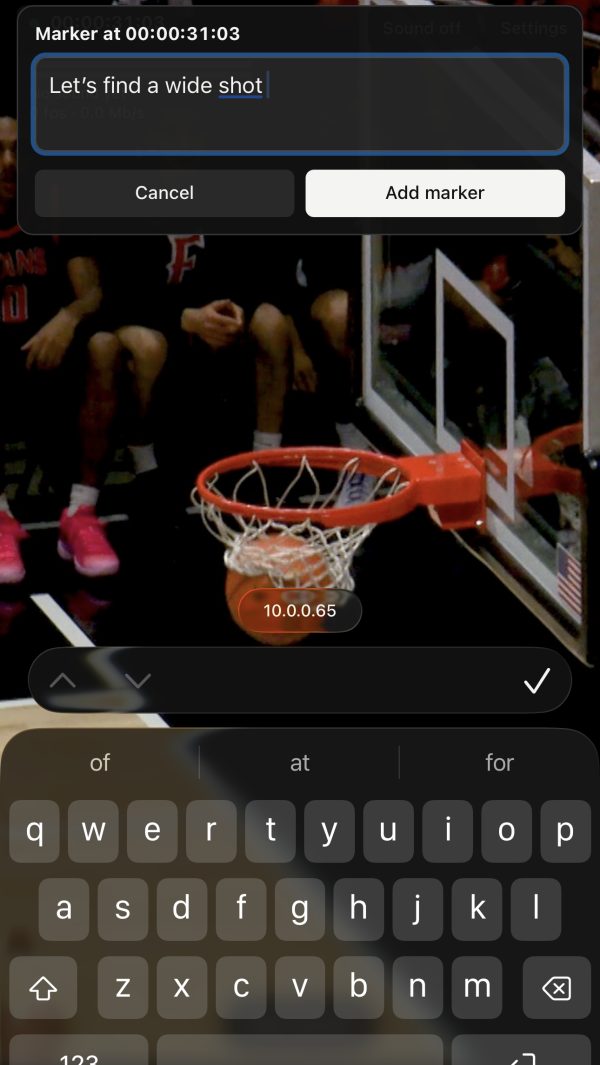
On the phone: type a note at the current frame.
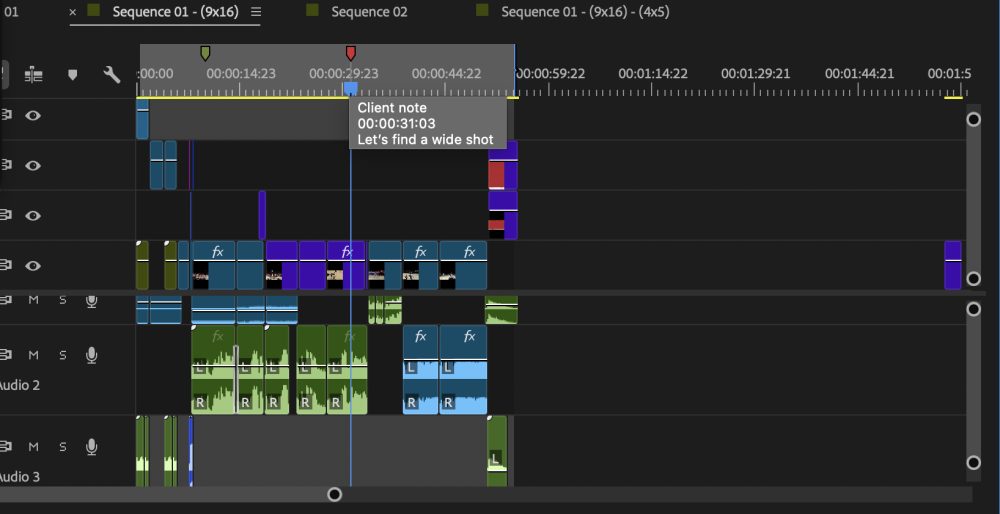
In Premiere: it lands on your timeline as a client note, at that exact frame.
See it in action
Play in Premiere. It plays on your phone.
No mockups. This is Prview running.
Shot on a phone in a real edit: Premiere plays on the Mac, and the phone in hand shows the same frames, live, as the sequence plays.
Real time
Drag a slider. Your phone updates.
Grade, retime or swap a title in Premiere and see the result on your phone a moment later. Check how your color holds up on the screen your audience actually uses.
Platform preview
See it the way your audience will.
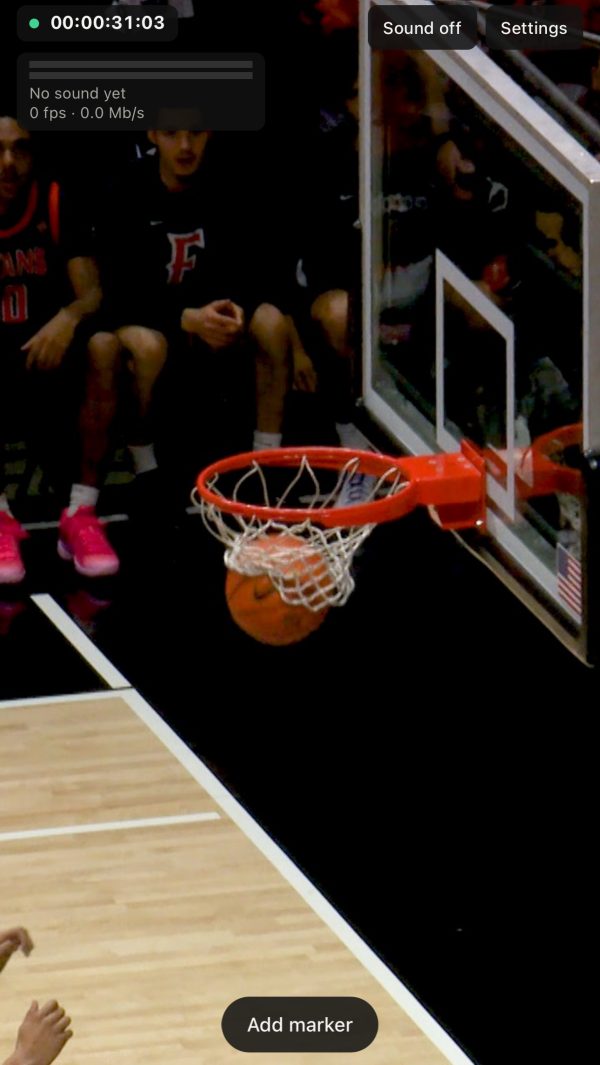
Lay the app’s interface over your edit, the safe-zone guide, or both, and catch anything hiding behind buttons or captions before you post.
Clean preview
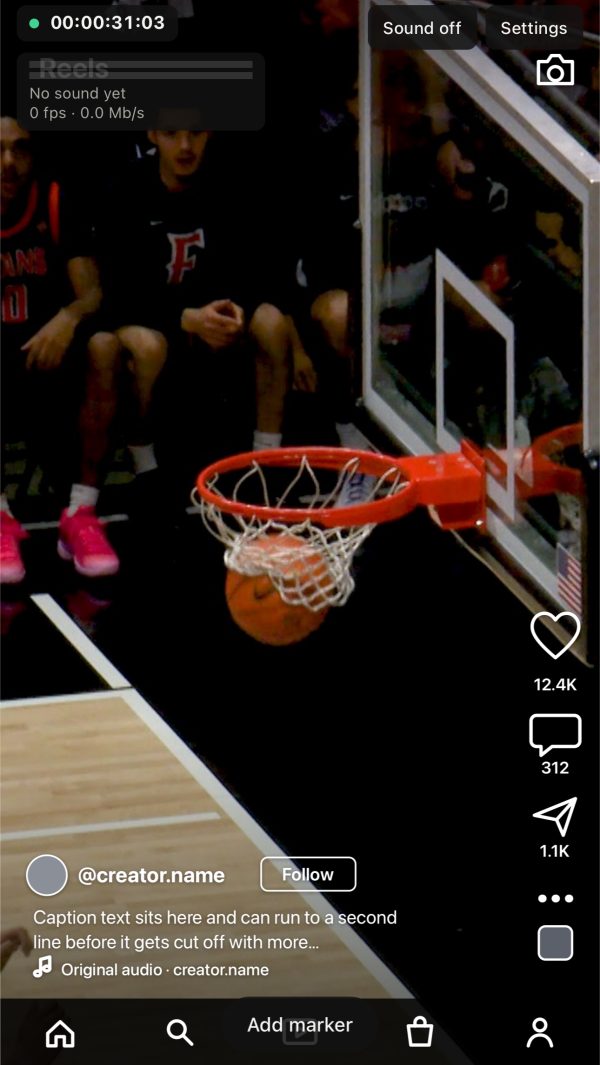
Interface overlay
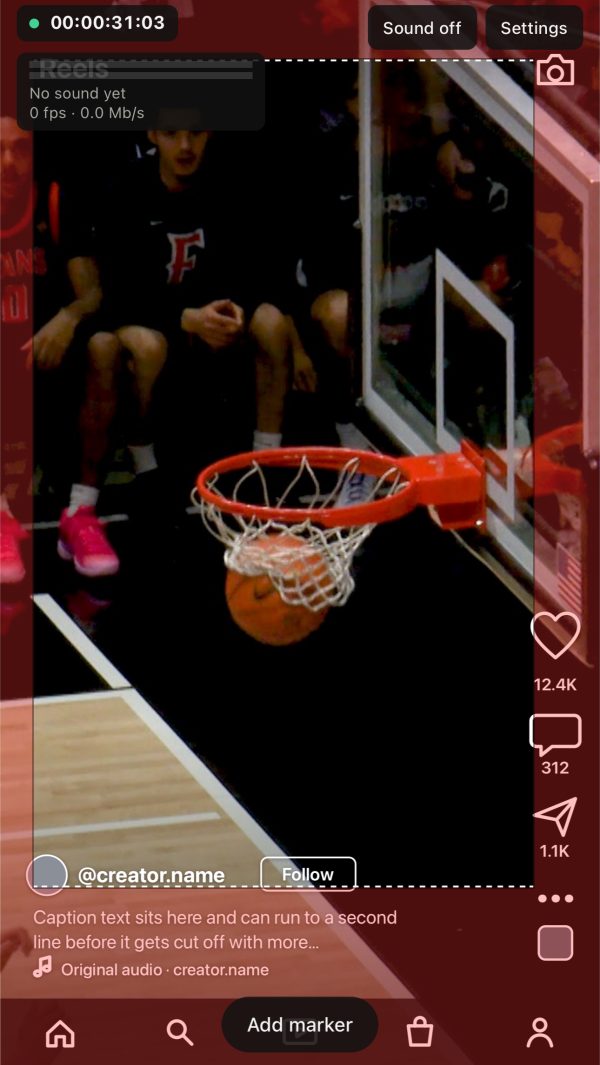
Interface + safe-zone guide
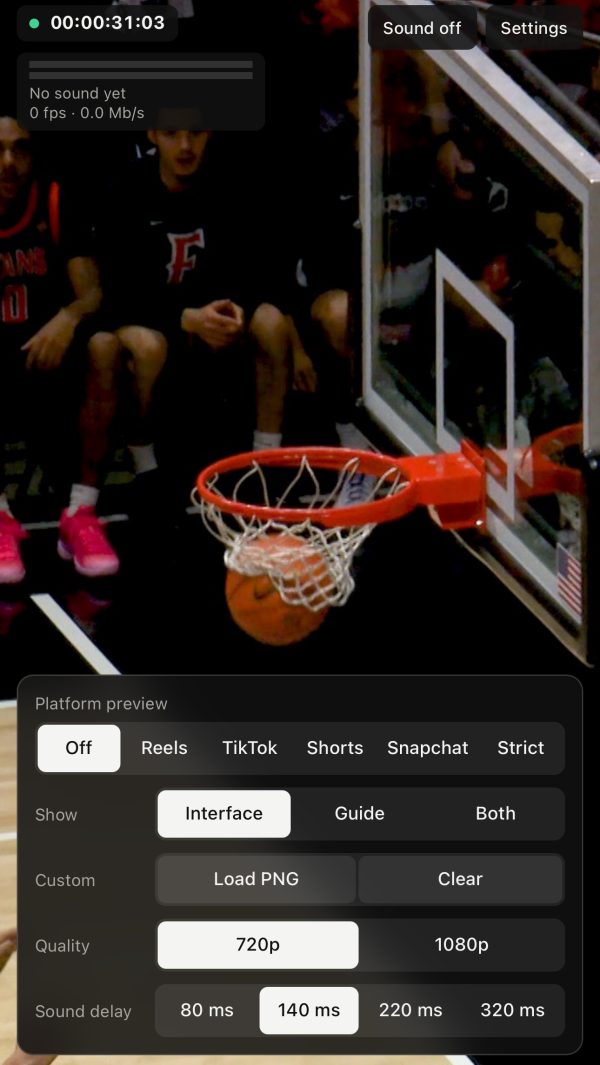
- Reels, TikTok, Shorts, Snapchat or Strict. Strict covers the tightest safe zone across platforms.
- Interface, guide or both. Show the app’s buttons, the safe-zone guide, or layer them.
- Load your own PNG. Drop in a client’s template or your own overlay.
- 720p or 1080p. Pick speed or sharpness.
- Sound delay. Fine-tune audio sync from 80 to 320 ms.
How it works
Three steps. No exporting to check.
Install the panel
Add the Prview panel to Premiere Pro on your Mac.
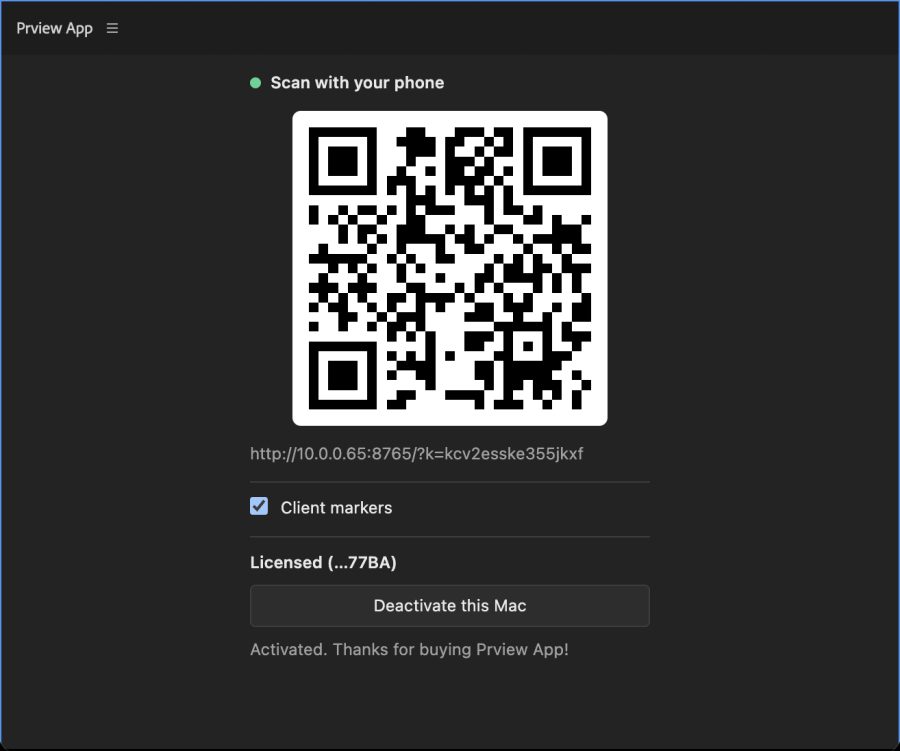
Scan to connect
Scan the QR code in the Prview panel with your phone. That’s it, you’re connected over your local network. Network locked down by IT? Plug your phone into your computer and it works the same way.
Edit and watch
Scrub, play and tweak in Premiere. Your phone mirrors the Program Monitor as you go.
Features
Built by an editor, for social-first edits.
Live preview on a real screen
Judge text size, pacing and color the way your audience will actually see them.
Social safe-zone overlays
Toggle Reels, TikTok, Shorts and Snapchat overlays on your phone so nothing hides behind buttons or captions.
No export round-trips
Stop rendering test files and AirDropping them to yourself just to check one title.
Markers from the producer’s phone
Producers and clients tap to leave notes while they watch. Each one lands on your timeline live, at the exact frame.
16:9 and 9:16
Horizontal for YouTube and TV, vertical for Reels, TikTok and Shorts. Prview handles both.
Local network or cable
Scan a QR code in Premiere and you’re connected over your local network. If IT blocks it, plug your phone into your computer and keep working.
Pricing
One license. Every edit.
Lock in $15 before early-bird pricing ends.
- Premiere Pro panel for Mac
- Prview phone app
- Reels, TikTok, Shorts and Snapchat overlays
- Live producer markers from the phone
- License code for 2 systems
- Lifetime access, no subscription
[Refund policy / free trial details]
Questions
Which versions of Premiere Pro does it work with?
Premiere Pro 26.5.2 and later.
Does it work for horizontal video too?
Yes. Prview works with both 16:9 and 9:16 sequences, so you can check a YouTube cut and a Reel the same way.
Does it work on Windows?
[Mac only for now / Windows coming]
Which phones are supported?
iPhone, iPad and Android.
Do my Mac and phone need to be on the same network?
Prview connects over your local network. If your IT setup blocks that, connect your phone to your computer with a cable and it works the same way.